


Panda Games: Baby Girls Care
4.2140.00 Reviews
App Specs
- Version
- 8.72.00.02
- Updated On
- License
- Free
- Downloads
- 10,000,000+
- Developer
- BabyBus
- Categories
- Educational
- Platform
- Android, iOS
Screenshots
 Analysis by AppCompare
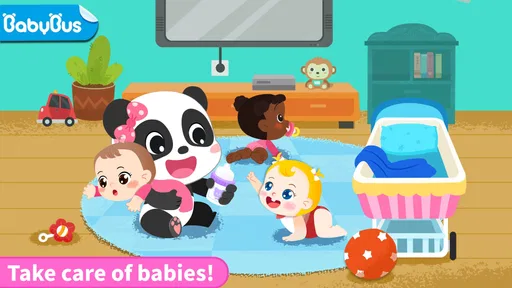
I’d treat Panda Games: Baby Girls Care as a gentle pretend-play game for young children, not as a deep educational course or a substitute for real caregiving. Its appeal is the simple role: a child gets to look after baby girls and explore the small routines that come with that idea. That makes it an easy fit for a short, supervised play break, especially when a child enjoys dolls, nurturing play, and colorful characters. The trade-off is that parents looking for a broad learning tool, a more challenging game, or a carefully structured lesson may find the experience too limited.
What the caregiving theme does well
The game is published by BabyBus, a developer known for children’s play experiences, and its premise gives this one a clear focus. Rather than asking a child to master complicated rules, it invites them into a familiar role: caring for a baby. That framing can make the activity feel approachable to a preschooler who likes pretending to feed, comfort, or look after a doll, even if the digital version is best understood as imaginative play rather than a guide to childcare.
That distinction matters. I wouldn’t present the game as teaching dependable real-world care skills; a child’s interaction with a cartoon baby is not the same as learning how to handle an infant safely. Where it can be useful is in giving a child a low-pressure setting to practise attention and sequencing in play: notice what the character needs, choose an action, and see what happens next. Those are modest benefits, but they suit the premise better than grand claims about education.
For a parent, the most useful way to introduce it is to play alongside the child at first. Ask what they think the baby needs and let them explain their choice. That turns a simple interaction into a little conversation about feelings and routines without pretending that the game itself is a lesson plan. It can also reveal whether the child enjoys this kind of pretend play or would rather move on to a puzzle, drawing activity, or more active game.
The game is free to download and is rated Everyone, which makes it easy to consider for a family device. It has an average rating of 4.2 from around 33,000 ratings, and it has passed 10 million installs. Those figures suggest a widely used title, but I would treat popularity as context rather than proof that every child will enjoy it. The key question is whether the caregiving theme matches your child’s interests.
A good fit for short, ordinary moments
I can see this working well during a quiet stretch at home: a child has finished a snack, a parent is nearby tidying the kitchen, and there are ten minutes to fill without switching on a fast-paced game. The pretend-nanny setup gives the child a recognizable role, while the parent can check in and talk about what is happening. It is less suited to being handed over as a long, unsupervised activity, particularly if the child is likely to keep tapping through screens without much conversation or purpose.
It may also suit a child who likes caring for toys but has little patience for games with timers, competition, or difficult controls. The low-stakes premise is the attraction: there is no need to approach it as a test of speed or skill. On the other hand, children who prefer building, exploration, or clear goals may quickly ask for something more varied. I’d use the child’s reaction after a brief try as the deciding factor, rather than assuming the cute theme will hold attention.
Worth Reading Before You Choose

Baby Panda World Brings Quick Play to Modern Phones, but Its Game Library Feels Busy

ESPN’s Live Game View Makes Following Close Games Easier

QuizzLand Review: A Good Fit for Short Trivia Breaks, Not Every Player

Basketball Stars: Multiplayer Is Fast, but Can It Recover When Matches Go Wrong?

WEBTOON Turns Phone Updates Into a Better Reading Routine

Link to Windows Runs on Shared Habits, Not Social Feeds
Compared with typical educational games built around letters, numbers, or puzzles, this title leans more toward role-play. That gives it a different kind of value: it can invite talk and make-believe, but it is unlikely to be the strongest choice when the goal is practising a specific academic skill. Compared with a physical doll, it is convenient and self-contained on a phone or tablet, yet it lacks the tactile freedom and open-ended improvisation of a toy. Those alternatives are not interchangeable, and the better choice depends on what the child needs at that moment.
Where parents should set expectations
The main limitation is inherent in the narrow premise. A game centered on looking after baby girls can feel repetitive once the novelty of the role wears off, especially for children who want changing challenges or a sense of progression. I would not choose it as the only app on a device or expect it to occupy a child for a long stretch. It makes more sense as one small option in a varied collection of play activities.
There is also a practical cost consideration. The game is free, but it includes optional in-app purchases priced from $0.99 to $3.99 per item. If a child uses the device independently, I recommend checking purchase controls before handing it over and explaining that tapping a purchase prompt is not part of the game. That is sensible preparation for any children’s app with paid items, not a reason on its own to avoid this one.
Parents should also decide whether the phone or tablet is the right setting for pretend play. If the aim is to encourage a child to invent their own stories, a doll, stuffed animal, or household role-play may do that better because the child controls every part of the scene. If the aim is a contained digital activity that can be used briefly while an adult stays close, this game has a more convenient case. I’d alternate rather than treating screen play and physical play as rivals.
For families checking device compatibility, the current version is 8.72.00.02 and it requires Android 6.0 or later. It was released on September 29, 2020. Those details make it possible to judge whether an older Android device is likely to be eligible, though a family should still check the device’s own app store before planning around it. The stated age rating is Everyone, but that does not replace a parent’s judgment about whether the theme, screen time, and purchase setup fit their child.
How I would use it with a child
I’d start by offering a short session and watching what the child actually does. Do they narrate the baby’s needs, make up a story, and stay interested without prompting? If so, the game is serving its best purpose as a springboard for imaginative conversation. If they simply tap quickly and lose interest, I would not keep pushing it because the educational label sounds promising. A game is only useful when its style fits the child.
A small routine can make the play more intentional: let the child choose what to do, ask them to explain why, and then invite them to act out a similar pretend-care moment with a toy. That transition is a practical way to carry the game’s theme beyond the screen. It also gives the adult a natural stopping point, instead of relying on the child to decide when to put the device away.
For siblings or children with different interests, I would avoid presenting it as a universal shared activity. One child may enjoy the gentle caregiving role while another prefers a game with puzzles or movement. That difference does not mean either child is missing something; it simply shows that this title has a specific audience. Its value is strongest when a child already likes nurturing pretend play.
My verdict for families
Panda Games: Baby Girls Care is best for young children who enjoy caring for dolls or acting out simple home routines and for adults who want a brief, approachable digital activity to share. Its focus is clear, its free entry point is convenient, and the role-play angle can prompt a few pleasant conversations. I would recommend it as an occasional option, not as a comprehensive learning app or a replacement for toys and adult interaction.
I’d skip it if your priority is structured literacy or numeracy practice, if your child quickly tires of repetitive pretend play, or if you want a game that can hold attention for a long period without adult involvement. In those cases, a focused learning app, an open-ended toy, or another kind of game will probably serve you better. For the right child, though, this is a straightforward little caregiving game with a sensible place in a balanced mix of screen and hands-on play.
Making a short session work better
One useful way to judge the game is to separate the child’s interest in the theme from their interest in the screen itself. Before opening it, ask whether they want to play a caregiving game or simply use the tablet. After a brief turn, notice whether they refer to the baby as a character with needs or just repeat taps because the device is in front of them. That small distinction helps a parent decide whether this is genuinely inviting pretend play for that child, rather than becoming a default way to fill every pause.
I’d also make the ending part of the activity rather than an abrupt interruption. For example, tell the child before starting that the session will finish after one little play period, then ask them to describe what they did for the baby before moving on. This gives the child a clear transition and helps the adult see whether the play produced any narration or choices worth discussing. It is a practical approach for a game whose appeal is imaginative interaction rather than a long campaign or a measurable score.
When a child asks to play again, I wouldn’t automatically interpret that as proof the game is especially enriching—or as a reason to prohibit it. I’d look at what they want to repeat. If they want to revisit a story they invented, there is room to continue that make-believe with a toy or drawing afterward. If they only want more device time, a parent can still set a limit without turning the game into a reward or punishment. Keeping the distinction clear makes it easier to use the title occasionally and intentionally.
Questions worth settling before download
Families often want to know whether a young child can use a game like this without constant help. I’d expect the simple caregiving premise to be easier to introduce than a game built around complicated rules, but I would still sit with a child the first time. That lets you see whether the child understands what to do, whether the interaction holds their interest, and whether anything on the screen prompts questions. The right level of independence depends on the child, not just the Everyone rating.
Another sensible question is whether it can replace a learning app. I would say no if you have a specific goal such as letter recognition, counting practice, or structured lessons. The title’s more appropriate role is pretend play that can prompt a little conversation. A dedicated learning game is a better match for a skill target, while a doll or stuffed animal gives more freedom for a child to invent a scene. This game sits between those options as a guided digital diversion, not as a complete substitute for either.
Parents may also wonder whether the purchase options change the basic decision. Since optional items cost from $0.99 to $3.99 each, I would review the device’s purchase settings before a child plays alone and avoid assuming that free access means every possible item is included. The practical question is whether you are comfortable with the available purchase prompts and can prevent an accidental transaction. If managing that is inconvenient, a physical toy or an app without paid items may be a calmer choice for independent play.
Finally, I’d consider the device itself. The game is available for Android devices running version 6.0 or later, so it may suit some older hardware, but the family’s app store remains the place to check compatibility before installing. The current release is 8.72.00.02. It first appeared on September 29, 2020, so it is not a newly released concept; that context may matter to someone seeking the latest kind of game, though it does not by itself tell you whether the play will suit your child.
Overall, my recommendation stays deliberately narrow: try it if a child already enjoys nurturing pretend play and you want a short digital activity that an adult can share or supervise. Give the child a chance to lead the story, keep purchases controlled, and be ready to switch to a toy or another game if the role quickly becomes repetitive. That is the setting in which this small, focused title makes the most sense—one option in a child’s play routine, rather than the routine itself.
Pros
- Simple tap-based controls are easy for young children to learn.
- Care activities offer a gentle introduction to everyday routines.
- Bright characters and visuals can hold preschoolers’ attention.
- Short activities suit quick play sessions.
- Can provide child-friendly entertainment without requiring advanced skills.
Cons
- Repeated care tasks may feel predictable after a while.
- Some children may need an adult’s help navigating menus.
- On-screen ads or purchase prompts may interrupt play.
- The game may offer limited challenge for older children.
- Availability and features can vary by device or version.
FAQs for Panda Games: Baby Girls Care
What is Panda Games: Baby Girls Care about?
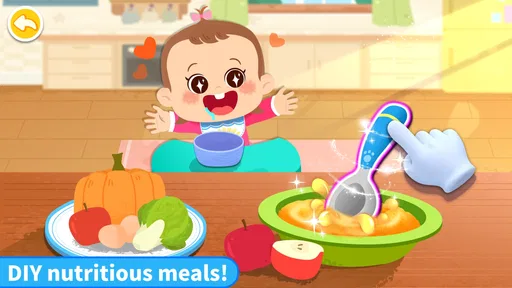
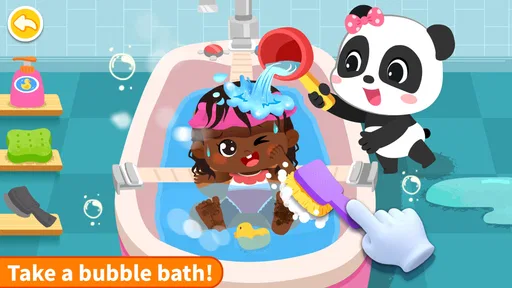
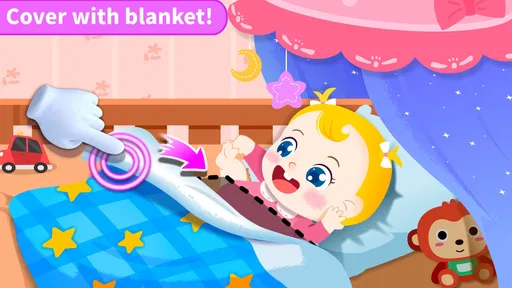
Panda Games: Baby Girls Care is a child-friendly pretend-play game centered on looking after babies. Players can take on everyday caregiving activities, such as feeding, bathing, dressing, and entertaining little characters. The experience is designed to feel gentle and accessible rather than challenging, making it suitable for casual play. Specific activities and available characters can vary by version, so check the current store listing for details.
Is Panda Games: Baby Girls Care suitable for young children?
The game’s simple caregiving activities and colorful presentation are aimed at younger players, and its play is generally easy to understand without advanced gaming skills. However, age suitability depends on the child and the current version’s content, ads, and in-app purchase options. Parents should review the store’s age rating and privacy information, and consider playing alongside a child the first time to see whether the experience is appropriate.
Does Panda Games: Baby Girls Care require an internet connection?
Whether you can play offline may depend on the version and how its content is delivered. Some basic activities may work without a connection after installation, while ads, updates, or additional content may require internet access. To avoid interruptions or unexpected data use, test the game in offline mode before relying on it during travel. Check the app listing and permissions for the latest connection requirements.
Are there ads or in-app purchases in Panda Games: Baby Girls Care?
The availability of advertising and paid features can differ across editions, platforms, and regions, so it is worth checking the current Google Play or Apple App Store listing before downloading. If a child will be playing, review the purchase settings and use parental controls to prevent accidental transactions. Also check whether ads can be removed or whether extra items or activities require payment, rather than assuming every feature is included.
How do I download Panda Games: Baby Girls Care safely?
Download the game from the official Google Play Store or Apple App Store, where you can confirm the developer, compatibility, age rating, recent updates, and user feedback. Avoid unofficial download files or websites, which may provide modified or unsafe versions. Before installing, check that your device meets the listed requirements and review the requested permissions. If the title is unavailable in your region, do not bypass store protections to obtain it.


